We are your trusted health partner. Local doorstep deliveries is within the hour .We are Licensed and Regulated by the Pharmacist's Council of Nigeria(PCN).Prices displayed here may differ due to inflation.
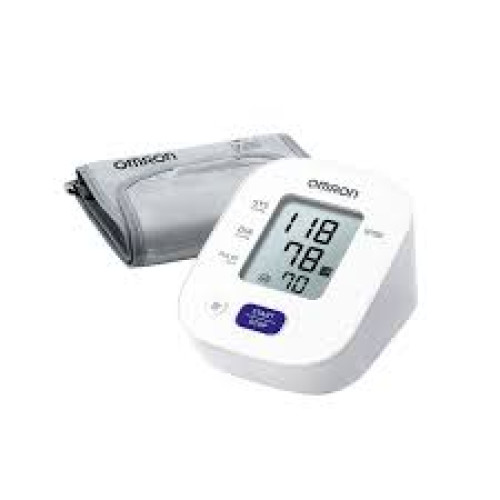
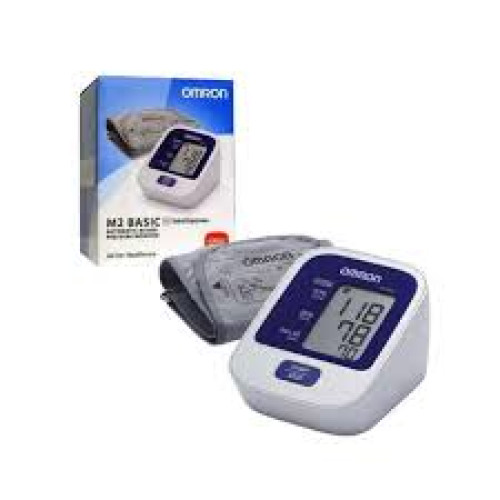
A highly efficient, clinically validated automatic upper arm digital blood pressure monitor engineered to deliver comfortable, quick, and accurate cardiovascular readings for home-use health tracking.
The Omron M2 Basic is a fully automatic upper arm monitor created for individuals who require accurate health metrics without the complexity of advanced smartphone connectivity, multi-button navigation, or confusing menu setups. Known for its user-friendly simplicity, it operates efficiently with a single button, making it a reliable health monitoring choice for seniors and beginners alike.
Using the advanced oscillometric method, the monitor detects the movement of blood through your brachial artery and converts these variations into highly visible digital readings.
One-Touch Activation: Streamlines your entire testing routine. Pressing the large central button turns the monitor on, inflates the cuff, records your data, and deflates automatically.
IntelliSense™ Technology: Maximizes user comfort during testing. The internal algorithm senses your baseline blood pressure and inflates the soft fabric cuff to the exact custom peak tailored to your arm, preventing painful over-inflation and excessive crushing.
Irregular Heartbeat Detection: An on-screen icon alerts you if the device senses any unexpected pulse variations during your measurement. This serves as an early flag for potential arrhythmias (like Atrial Fibrillation) that should be shared with your doctor.
Last Reading Memory & Level Guidance: Automatically displays your absolute last measurement value on startup, alongside visual bar indicators to help you quickly cross-reference your levels against standard diagnostic brackets.
Medical-Grade Validation: Clinically proven to match stringent accuracy testing guidelines ($\pm3\text{ mmHg}$ for blood pressure and $\pm5\%$ for pulse rate) established by independent major international medical bodies.
Your vascular pressure changes constantly based on activity, stress, and posture. To capture a highly reliable, true baseline measurement using your M2 Basic, implement a fixed preparation routine.
1.Rest quietly for five minutes before testing:Pre-Test Rest.
Avoid heavy meals, alcohol, caffeine, nicotine, and physical exercise for thirty minutes prior to your test. Sit completely relaxed in a quiet room for five full minutes.
2.Wrap the cuff snugly over your bare upper arm:Cuff Application.
Remove tight or rolling sleeves from your left arm. Position the bottom edge of the cuff roughly one to two centimeters (about one finger width) above the inner bend of your elbow. Ensure the rubber air tube runs straight down the exact center of your inner arm.
3.Align your back, feet, and arm support:Body Posture.
Sit back completely straight against your chair with your feet flat on the floor and your legs uncrossed. Rest your forearm on a table so that the wrapped arm cuff rests at the exact same level as your heart.
4.Press the button and remain perfectly still:Measurement.
Press the single Start button. Keep your body completely still, breathe normally, and do not talk, laugh, or scroll on your phone while the machine operates. Moving or speaking can artificially raise your readings by up to ten points.
The large LCD interface will automatically break down your results into three distinct, essential metrics: Your Systolic Pressure (top number), your Diastolic Pressure (bottom number), and your Pulse Rate (beats per minute).
| Metric Category | Ideal Safe Ranges | Elevated Boundaries | Action Plan |
| SYS (Top Number) | Less than 120 mmHg | 130 – 139 mmHg (Stage 1) | If consistently elevated, log metrics daily for a medical review. |
| DIA (Bottom Number) | Less than 80 mmHg | 80 – 89 mmHg (Stage 1) | Adjust lifestyle habits and review with your doctor. |
| PULSE (Heart Rate) | 60 – 100 Beats/Min | Under 60 or Over 100 | Report highly unusual or racing baseline rhythms to your doctor. |
What should I do if the screen displays a blinking heart or irregular heartbeat icon?
If the irregular heartbeat icon appears alongside your final numbers, rest quietly for three minutes, re-adjust the arm cuff, and take another measurement. If the icon flashes occasionally, it is usually a sign of minor physical movement during the test; however, if it appears every time you test, schedule an appointment with your cardiologist for an evaluation.
What is the standard size of the cuff included, and can I change it?
The Omron M2 Basic comes packaged with a standard medium upper arm cuff suitable for arm circumferences ranging from twenty-two centimeters to thirty-two centimeters ($22\text{ cm}$ to $32\text{ cm}$). If your arm circumference is larger, a large Omron cuff ($32\text{ cm}$ to $42\text{ cm}$) can be purchased separately and plugged directly into the device's side air jack.
How often do the batteries need to be changed in the monitor?
The M2 Basic runs on four standard "AA" alkaline batteries, which provide enough power for roughly one thousand independent measurements. When the low-battery symbol appears on the LCD, replace all four cells simultaneously with fresh, high-quality alkaline batteries. Do not combine old and new batteries together.
You can purchase a genuine, factory-warranted Omron M2 Basic Blood Pressure Monitor online through Sanlive Pharmacy & Stores for secure payment and fast, reliable same-day delivery directly to your home within Lagos, Abuja, and Port Harcourt.
Important Notice: This home monitoring device is an excellent tool for tracking and recording cardiovascular trends. It must never be used to self-diagnose hypertension or independently alter your prescription blood pressure medication doses. Always share your physical monitoring logs directly with a qualified doctor.
No reviews yet — be the first!
Log in to write a review.